
Table of Contents
- How to Track an Air Shipment Using an Air Waybill
- What You Need Before You Start
- Airlines, Freight Forwarders, and Third-Party Tools
- Air Waybill Number Tracking: Finding and Entering Your AWB Number
- Air Waybill Status Meanings: How to Read Tracking Updates
- Why Your Air Waybill Tracking Is Not Updating
- What to Do When a Shipment Is Delayed, Held, or Marked Delivered
- Getting Real-Time Shipment Visibility Through a Freight Forwarder
- Frequently Asked Questions
Last Updated: October 5, 2026
How to Track an Air Shipment Using an Air Waybill
Air waybill tracking uses the unique number on your air freight document to follow a shipment from origin to destination.
The core issue most guides skip: an air waybill is not one document, and the number you were given may not be one a public portal can read.
This guide covers how to track an air shipment, where to find your air waybill number, what status messages mean, and what to do when updates stop.
What You Need Before You Start
Before opening any tracking page, gather three things. Skipping this is why most people re-enter the same number five times.
- The air waybill (AWB) number from your shipping document or forwarder’s email
- The issuing airline or forwarder name, so you know which system to query
- The shipment’s origin and destination airports, to sanity-check the results
A common mistake is assuming the tracking number equals the booking reference. A booking reference confirms space on a flight; an air waybill number identifies the consignment itself and travels with the cargo.
Airlines, Freight Forwarders, and Third-Party Tools
You have three routes to tracking information, and they are not equally useful.
Airline portals show the flight leg only, that cargo moved between two airports.
Freight forwarder systems show the whole journey, including customs clearance and final delivery.
Third-party tracking tools aggregate airline data.
For shipments moving through customs or biosecurity, the airline view stops at the airport boundary.
Air Waybill Number Tracking: Finding and Entering Your AWB Number
Air waybill number tracking starts with an 11-digit number, and the format matters.
If the check digit is wrong, the portal rejects the number, a feature, not a bug, but it means typos look like missing shipments.
How the 11-Digit Format Breaks Down
Take 125-1234 5675. Reading left to right:
- Digits 1-3 (the airline prefix): the carrier that issued the waybill. 125 belongs to a specific airline, 020 to another, and so on. This prefix is how a portal knows which carrier’s system to query.
- Digits 4-10 (the serial number): the consignment’s unique identifier within that airline’s numbering range.
- Digit 11 (the check digit): a mathematical validation of the first ten digits.
The check digit is calculated by treating the first ten digits as a single number, dividing by 7, and using the remainder (or 7 if the remainder is 0). This is why a single transposed digit returns “not found” rather than a helpful error, the portal cannot match the number to any issued waybill.
Where to Find Your AWB Number
Your air waybill number appears in several places. Check these first.
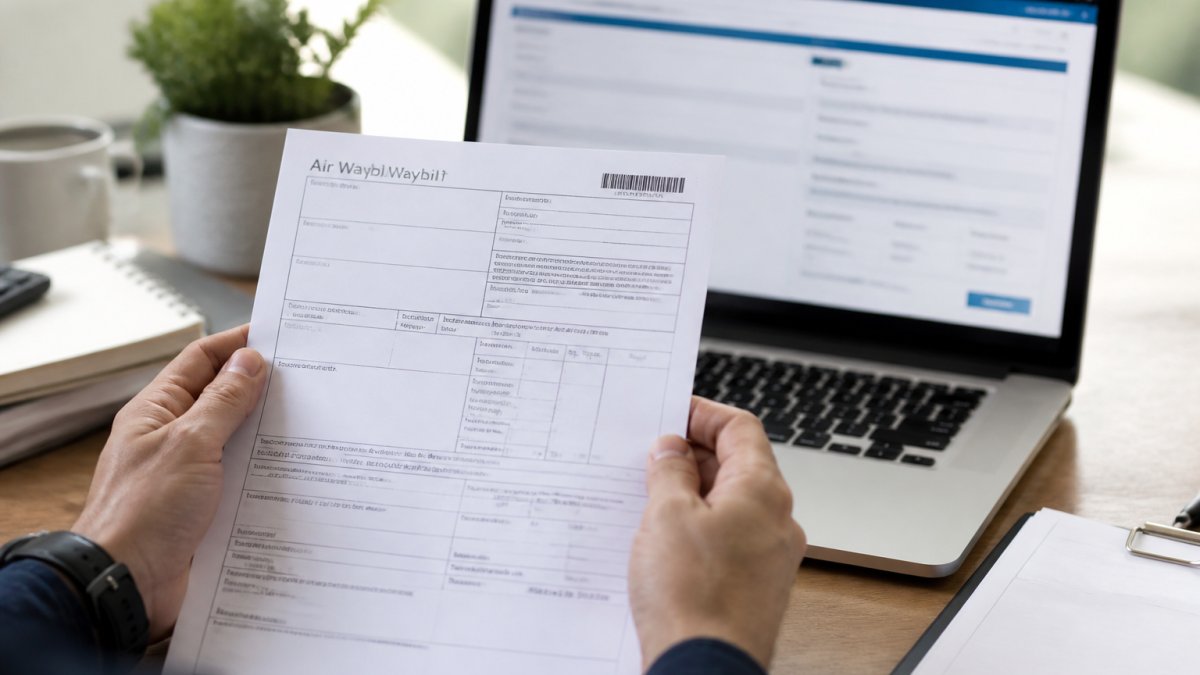
- The top-right corner of the printed air waybill
- The confirmation email from your freight forwarder
- The commercial invoice or packing list attached to the shipment
The number is usually labelled “AWB,” “Air Waybill No.,” or “MAWB.” If you only have an invoice number, that will not work in an airline portal.
Master vs House Air Waybills: Why You Might Have Two Numbers
This trips up most importers. When a forwarder consolidates your cargo with other shipments, two documents exist.
- Master air waybill (MAWB): issued by the airline to the forwarder. Covers the whole consolidated load.
- House air waybill (HAWB): issued by the forwarder to you. Covers only your consignment.
Public airline portals only recognise the MAWB. A HAWB will not return a result, and that is expected, your forwarder’s system maps the HAWB to the MAWB and shows your cargo’s real position.
|
Document |
Issued By |
Who Uses It |
Trackable Where |
|---|---|---|---|
|
Master air waybill |
Airline |
Freight forwarder |
Airline portal |
|
House air waybill |
Freight forwarder |
Importer or exporter |
Forwarder portal |
|
Booking reference |
Airline |
Booking party |
Airline system only |
Why a Valid AWB Number Gets Rejected
Even a correctly formatted number can fail. Common causes:
- Wrong system. A HAWB entered into an airline portal will never resolve. Use the forwarder’s portal.
- Not yet activated. A newly issued AWB may take several hours, sometimes a full day, to appear in the airline’s public system. The number is valid; the record simply has not been published.
- Spaces or hyphens. Most portals accept the number with or without the dash after the prefix, but some reject any punctuation. Try the plain 11 digits.
If the number is still rejected after confirming all five points, contact the party who issued the document. They can confirm the prefix, the serial, and whether the record has been published.
Air Waybill Status Meanings: How to Read Tracking Updates
Air waybill status meanings are less complicated than the jargon suggests. The wording changes between carriers, but the meaning does not, map whatever label you see onto a small set of underlying stages.
- Received from shipper: cargo is with the airline or forwarder at origin
- Departed: the flight has left the origin airport
- Customs clearance: awaiting or undergoing border checks
The one that causes the most anxiety is “in transit.” It can cover a short hop or several days of consolidation, it is not stuck, just broad.
The Event Codes Behind the Plain-English Labels
Most airline systems publish a short code alongside the description, often more precise than the label. You will commonly see:
- RCS (Received from Shipper): the consignment has been physically accepted at origin. This is the first event that confirms the airline has the cargo, not just the booking.
- DEP (Departed): the flight has left. The event usually names the airport pair.
- ARR (Arrived): landed at the destination or a transit hub. Read the airport code carefully, an “arrived” event at a hub is not arrival at your destination.
A shipment can sit at RCF for a day or more before NFD appears, because the handling agent must process the arrival and raise the collection notice. That gap is normal.
What the Customs and Biosecurity Milestones Mean
After arrival, the status often shifts from airline to border-agency language. Two events matter most:
- Under customs clearance: the consignment is with the border agency or its broker. It may be awaiting duty payment, a document check, or nothing at all, the status does not distinguish.
- Held for inspection: a border agency wants to physically examine the cargo or review documentation. This is the status that generates storage charges, because the cargo is sitting in a bonded facility while it waits.
According to the Department of Home Affairs on importing goods, clearance requirements vary by cargo type, which is why two shipments on the same flight can show different statuses after arrival. A consignment of general goods may clear on the paperwork alone; a consignment of food, plant material, or timber may be referred for biosecurity inspection and sit at “held” for days.
Reading a Status Timeline, Not a Single Status
A single status tells you almost nothing. The useful signal is the pattern across events:
- Steady progression (RCS → DEP → ARR → RCF → NFD → DLV) is a healthy shipment, even if individual gaps look long.
- A long gap between DEP and ARR usually means a transit hub stop or a consolidated connection, not a problem.
- A long gap after RCF with no NFD often means the handling agent has not yet processed the arrival, or the consignee has not been contactable.
- A jump straight to “held” means a border agency intervention. This is the one status that warrants immediate action.
Why Your Air Waybill Tracking Is Not Updating
Tracking goes quiet for predictable reasons, and most are not problems.
- The cargo is between scan points. Not every airport scans every movement.
- A flight was rerouted or consolidated. The number stays the same, the schedule does not.
- You are tracking the wrong number. See the master versus house section above.
- The shipment has cleared but not been collected. Status sits at “arrived” until pickup.
A common mistake is assuming no update means no movement. A shipment can be moving perfectly while the public record stays static for a day or more.
If updates have stopped for longer than the transit time between two known points, contact your forwarder. Bring the AWB number, the last known event, and the date it appeared.
Most “tracking is broken” cases come down to one of two things: a house air waybill entered into an airline portal, or a genuine gap between scan events. Check both before escalating.
What to Do When a Shipment Is Delayed, Held, or Marked Delivered
Each needs a different response, and treating them the same wastes time.
Delayed: confirm the new estimated arrival, then check whether the delay affects a connecting flight.
Held: this usually means customs or biosecurity wants documentation or an inspection. Respond quickly. Storage charges start accruing while cargo sits.
Marked delivered but not received: check whether it was signed for by a third party, such as a customs broker or a warehouse.
For perishable, hazardous, or oversized cargo, held shipments need faster action than general freight.
Getting Real-Time Shipment Visibility Through a Freight Forwarder
The gap between “trackable” and “useful” is where a forwarder earns their keep.
Our approach differs from a lookup tool: one platform to manage all shipments, so air, sea, and land freight sit in the same view. You see the whole journey, not just the flight leg.
Our clients say the difference is responsiveness.
For businesses moving perishables, hazardous cargo, or oversized items, real-time shipment visibility is not a nice-to-have, it is the difference between a delivery and a write-off.
Frequently Asked Questions
Can I track a shipment with just an air waybill number?
Yes. An air waybill number is the primary reference for tracking air cargo. Enter the 11-digit AWB number on the airline’s tracking page, your freight forwarder’s portal, or a third-party tracking tool to view shipment movement. If you booked through a forwarder, they may also give you a house air waybill number. Use whichever number your provider issued, and check with them if the tracking result shows no data.
Is an air waybill the same as a tracking number?
An air waybill is a transport document, but its number doubles as a tracking reference. The AWB number identifies your consignment across the air cargo network, so airlines and forwarders use it to log status updates. A tracking number for a courier parcel works the same way, but air freight AWBs follow a standardised format that includes an airline prefix and a check digit.
Why is my air waybill tracking not updating?
Tracking gaps happen for several reasons. Status updates only appear when your shipment is scanned at a checkpoint, so cargo sitting on a tarmac or in a transit shed may show no movement for a day or more. Customs holds, missed scans, and data entry errors can also cause delays. If nothing changes for more than 48 hours, contact your freight forwarder with the AWB number and ask them to check directly with the airline.
How long does it take for air waybill tracking to update?
Most airlines log a status event within a few hours of each scan, but updates are not continuous. A typical air freight journey generates six to ten tracking events from acceptance through to delivery. On routes with tight connections, you may see several updates in one day. On longer transits with consolidation stops, gaps of 24 to 48 hours between updates are normal. Your forwarder can confirm expected transit times for your specific route.
Air cargo tracking only works when someone owns the whole journey, not just the flight. If you are tired of portals that show a number and nothing else, talk to us. Seatram offers tailored end-to-end supply chain solutions, wharf-to-wharf and door-to-door options, and a team that answers when a shipment is held. Request a quote and get visibility you can actually act on.