
Table of Contents
- What Is Container Tracking and Why It Matters
- How to Track a Shipping Container: Step-by-Step
- Container Tracking by Bill of Lading
- Understanding Container Tracking Status Meanings
- Container Tracking API and Freight Tracking Software Integration
- Common Tracking Limitations and Update Delays
- Frequently Asked Questions
Last Updated: October 12, 2026
What Is Container Tracking and Why It Matters
Container tracking monitors the location and status of a shipping container as it moves through the supply chain, giving real-time visibility from port of origin to final delivery.
A container can spend weeks in transit across multiple carriers, ports, and transport modes.
Real-time tracking lets you:
- Know exactly where your cargo is right now
- Plan warehouse and delivery logistics with confidence
- Spot delays before they become crises
- Communicate accurate arrival times to customers
- Manage cash flow by understanding when goods will arrive
Container tracking connects your shipment identifier (container number, booking reference, or bill of lading) to carrier databases that update as your container moves.
How to Track a Shipping Container: Step-by-Step
Tracking a shipping container is straightforward once you know what information you need.
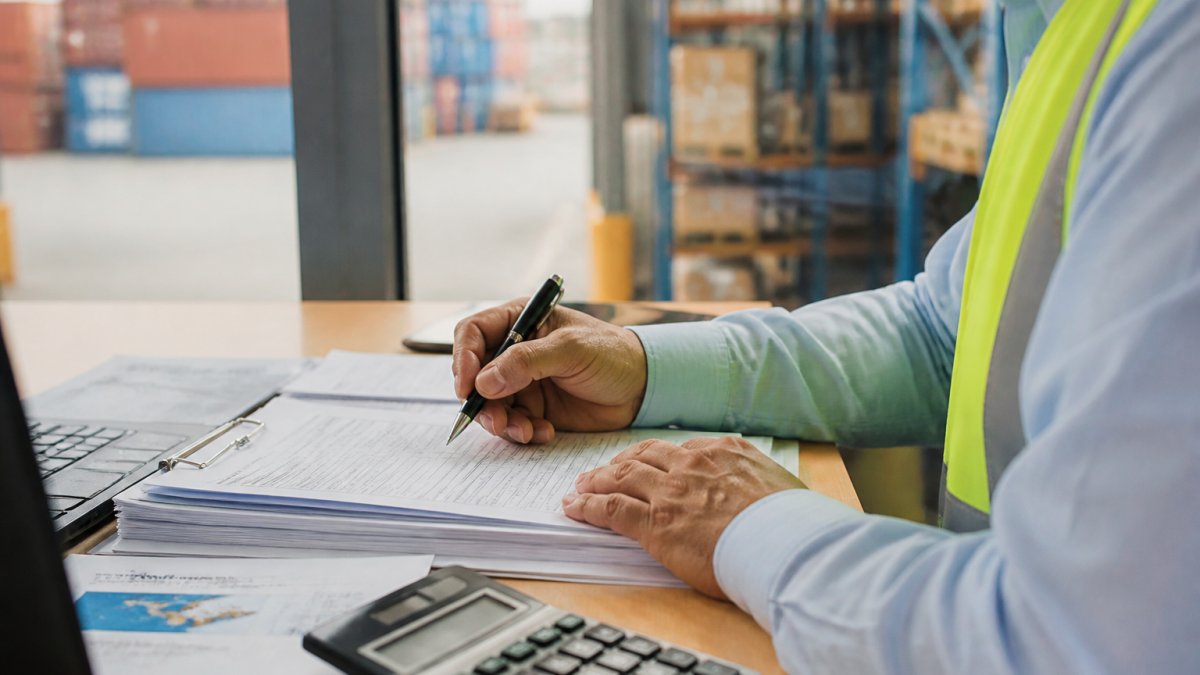
Step 1: Locate Your Container Number
Your container number is the unique identifier that follows your shipment everywhere, appearing on your booking confirmation, bill of lading, and shipping invoice. It is 11 characters: four letters (the shipping line code) followed by seven digits, for example SEATM1234567. Without it, you cannot access real-time updates.
If you don’t have your container number, check these documents first:
- Bill of lading (BOL), the primary shipping document
- Booking confirmation email from your freight forwarder
- Commercial invoice or packing list
- Carrier portal account statement
Still stuck? Contact your freight forwarder or the shipping line directly. They can pull your container number from your booking reference or purchase order.
Step 2: Access a Tracking Tool or Carrier Portal
Once you have your container number, you need a tracking platform. Most shipping lines offer free online tracking: visit the carrier’s website (the four-letter code on your container number tells you which one), find the “Track Shipment” or “Container Tracking” section, enter your container number and search.
Alternatively, use a neutral tracking aggregator that pulls data from multiple carriers. Many freight forwarders provide integrated tracking dashboards that consolidate updates from all carriers, so instead of logging into five carrier websites you see everything in one view.
Step 3: Enter Your Details and Monitor Updates
Once you access the tracking tool, enter your container number. The system will display:
- Current location of your container
- Expected arrival time (ETA)
- Vessel name and voyage number
- Port stops and transit dates
- Any customs or documentation holds
Check your tracking regularly, especially during the first week and again as your container approaches the destination port. Set reminders for key milestones: vessel departure, arrival at destination port, customs clearance, and final delivery.
Container Tracking by Bill of Lading
A bill of lading (BOL) is the master shipping document that proves ownership and outlines the terms of your shipment. You can track using your BOL number instead of (or in addition to) your container number, but the two are not interchangeable.
How the identifiers differ
Most tracking problems start with entering the wrong reference. Confirm which identifier you hold:
- Container number. Eleven characters: a four-letter owner code, a six-digit serial, and a check digit (for example, MSCU1234567). It identifies the physical box, so use it to know where that specific container is right now.
- Bill of lading number. Issued by the carrier or freight forwarder when the shipment is booked and goods are received. It is the legal contract of carriage and the document you present to claim cargo, so use it to see the whole shipment as booked, including all containers on that BOL.
- Booking number. Generated when space is reserved, before the container is loaded. Useful early when no container number exists yet, but it may not return live vessel positions.
- Vessel name and voyage number. Identifies the ship, not your cargo. Use it to check whether the vessel is running late, often the real reason your container’s ETA has slipped.
A single BOL can cover multiple containers, and a single container can appear on more than one BOL if cargo is split. A BOL search may return several container records; a container search returns one box.
Where to find each number
- Bill of lading number: top-right or top-centre of the BOL, and on the carrier’s booking confirmation.
- Container number: printed on the door, side and roof of the container, and listed on the BOL under the container details section.
- Booking number: on the booking confirmation email and the freight forwarder’s instructions.
- Vessel and voyage: on the BOL under the vessel/voyage field and on the carrier’s schedule page.
How to track by BOL
- Go to the carrier’s tracking portal (the four-letter code on your container number tells you which line issued the BOL).
- Select the bill of lading or reference option rather than container tracking.
- Enter the BOL number exactly as printed, including any prefix letters.
- Review the shipment-level result, then drill into individual container records if you need box-level positions.
If a BOL search returns no result, try the container number instead. Carrier portals sometimes index one reference but not the other, and a booking number will rarely return live positions once the vessel has sailed.
When BOL tracking is the better choice
BOL tracking ties directly to the commercial transaction, so use it when reconciling a shipment against an invoice, proving delivery, or checking that every container on a consolidated booking is accounted for. Container tracking is better for the physical location of one box, such as a time-critical pallet. A common pattern is to use the BOL number for shipment-level reporting and the container number for day-to-day position checks, keeping both references on file so you can switch without going back to your forwarder every time a portal rejects a search.
Understanding Container Tracking Status Meanings
Tracking updates use specific status codes. Understanding what each means and what to do next separates a useful tracking check from a frustrating one.
The core statuses and what they actually tell you
Loaded on vessel. The container is physically on board.
In transit. Your container is moving between locations.
Transshipment. Your container is being transferred to another vessel.
Customs clearance. The shipment is being processed by customs.
Delivered. The container has reached its final destination and been released. This is the end of the carrier’s responsibility.
Delayed. The container is behind schedule, usually with a reason: weather, port congestion, vessel mechanical issue or customs.
What to do when a status changes
- In transit, on schedule: no action. Check again at the next milestone.
- Transshipment: no action unless the container sits at the transshipment port for more than a few days, indicating a missed connection.
- Arrived at port: start preparing clearance documents and confirm who is lodging them.
- Customs clearance: confirm with your broker that all entries are lodged and any duty or GST obligations are settled.
- Hold / detention: contact your freight forwarder immediately. Ask for the specific reason and the document or payment needed to release it. Holds rarely clear on their own.
- Delayed: ask the carrier or forwarder for a revised ETA and check whether it affects a connecting vessel or inland leg.
- No update for more than five days: contact the carrier or forwarder. Stale data is often system lag, but it can also signal an unlogged problem.
Estimated versus confirmed dates
An ETA in a tracking portal is an estimate, not a commitment. Carriers revise ETAs as vessels adjust speed, wait for berths or change rotation. Treat it as a planning guide and build a two to three day buffer into warehouse bookings, customer promises and inland transport for time-sensitive cargo.
A status of “delivered” at a transshipment port does not mean your cargo has arrived at its destination. It means the container was discharged from one vessel. Check the next event before telling a customer the shipment is complete.
Why a status may not match reality
Tracking reflects what the carrier has logged, not what is physically happening. A container can sit on a wharf for a day before the terminal posts the discharge event, and customs holds may not appear in the carrier’s feed at all because the hold sits with the border agency. When two sources disagree, trust the more recent timestamp and confirm with your forwarder rather than assuming the shipment is lost.
Container Tracking API and Freight Tracking Software Integration
What a Container Tracking API Does
A container tracking API (application programming interface) connects your business systems directly to carrier tracking databases. Instead of logging into a portal manually, your software queries the carrier’s system and pulls live data automatically.
An API lets you:
- Embed tracking into your own customer portal
- Automate alerts when shipments reach key milestones
- Sync tracking data into your inventory or order management system
- Build custom reports on shipment performance
- Reduce manual data entry and human error
Most major shipping lines offer tracking APIs. Your freight forwarder can help set up API access and configure which data points you receive.
Choosing Freight Tracking Software for Your Business
If you manage multiple shipments, a dedicated freight tracking platform saves time and reduces errors by aggregating tracking data from all carriers into a single dashboard.
When evaluating freight tracking software, consider:
- Carrier coverage. Does it connect to all the shipping lines you use? A platform covering only three of five carriers leaves you checking portals manually.
- Update frequency. How often does it refresh? Real-time is best, but hourly updates are acceptable for most businesses.
- Integration capability. Can it connect to your existing systems (ERP, order management, accounting software)? Integration reduces manual work.
- Alert functionality. Can you set custom alerts for delays, arrivals, or specific events? Good alerts keep you proactive.
- Reporting features. Can you generate reports on on-time performance, transit times, or carrier comparison? Reporting drives improvement.
- User experience. Is the interface intuitive, or does it require training? A complex system won’t be used consistently.
Many freight forwarders provide tracking software as part of their service. At Seatram, our tracking platform integrates with your shipments across all transport modes, sea, air, and land, so you have one source of truth for your supply chain.
Common Tracking Limitations and Update Delays
Container tracking is powerful, but it has real limitations. Understanding them helps you plan accordingly.
Update delays. Tracking data is only as current as the last port or carrier update.
Gaps in coverage. Not all transport modes feed into tracking systems equally. Ocean freight tracking is strong.
Different systems per carrier. Each shipping line maintains its own tracking database.
These limitations don’t make tracking useless; they mean you should expect imperfect real-time visibility.
Container tracking is essential for managing international shipments, but it’s just one piece of supply chain visibility. Seatram provides integrated container tracking across all your shipments, sea, air, and land freight, combined with dedicated support to resolve delays and keep your cargo moving. Request a Quote to see how end-to-end visibility and responsive logistics support can improve your supply chain performance.
Frequently Asked Questions
What information do I need to track a container?
You’ll need your container number (a unique 11-character alphanumeric code), your booking or reference number, or your bill of lading number. The container number is the most direct identifier and appears on your shipping documents and container itself. If you don’t have the container number, your bill of lading or booking number will help the carrier locate your shipment.
Can I track a container using a bill of lading number?
Yes. Your bill of lading is the primary shipping document and most carriers accept it as a tracking identifier. Enter it into the carrier’s tracking tool or ask your freight forwarder to track on your behalf. However, a single bill of lading may cover multiple containers, so you may receive grouped status updates rather than individual container-level visibility.
What do common container tracking statuses mean?
Status definitions vary by carrier, but typical ones include: ‘Booked’ (reservation confirmed), ‘Departed’ (left the origin port), ‘In Transit’ (at sea or en route), ‘Arrived’ (reached destination port), ‘Customs Clearance’ (under inspection), ‘Ready for Pickup’ (cleared and available), and ‘Delivered’ (final destination reached). Always check your carrier’s documentation for exact definitions, as terminology can differ between shipping lines.
How often is container tracking information updated?
Real-time updates depend on the carrier and your tracking tool. Ocean freight typically updates at key milestones: departure, transshipment, arrival, and customs clearance. Updates may occur daily or every few hours at major ports, but gaps of 24-48 hours are common at sea or during customs processing. Integrated tracking APIs and freight tracking software can pull updates more frequently, but the underlying carrier data still follows the same schedule.